
Cyberpunk 2077 PC Requirements — Can Your PC Run It?

Complete Windows PC compatibility, settings, storage, ray tracing, and troubleshooting guide
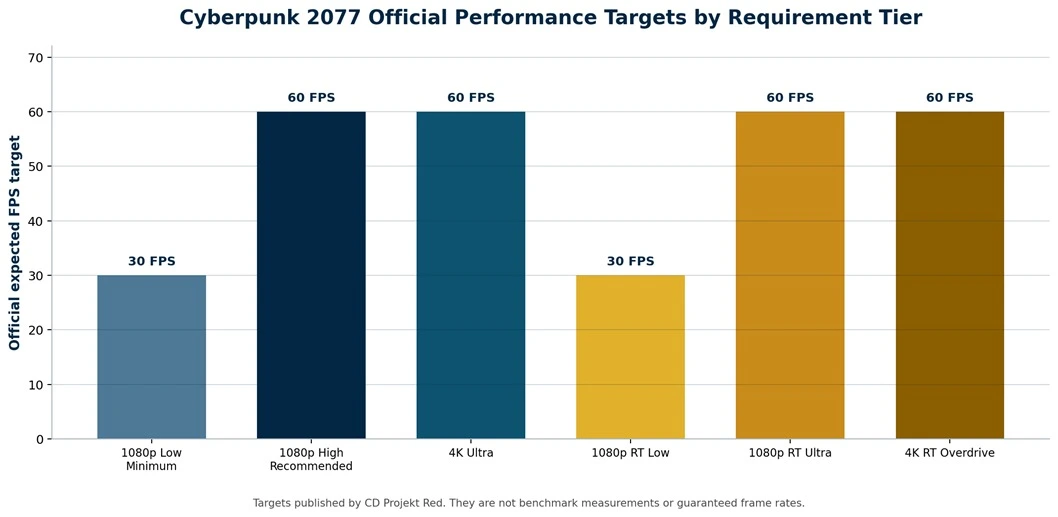
The current Cyberpunk 2077 PC requirements start with an Intel Core i7-6700 or AMD Ryzen 5 1600, a GeForce GTX 1060 6GB, Radeon RX 580 8GB, or Intel Arc A380, 12GB of RAM, and 70GB of SSD storage. CD Projekt Red lists this minimum configuration for 1080p at the Low preset with an expected 30 FPS. For 1080p High at an expected 60 FPS, the recommended configuration rises to a Core i7-12700 or Ryzen 7 7800X3D, an RTX 2060 Super, RX 5700 XT, or Arc A770, 16GB of RAM, 8GB of VRAM, and an SSD.
These Cyberpunk 2077 system requirements reflect the revised hardware baseline introduced for Update 2.0 and Phantom Liberty, not the lighter launch-era list. Meeting the minimum specification can make the game playable, but the quality of the experience depends on resolution, graphics preset, ray tracing, available VRAM, storage, and frame-time consistency. The correct comparison is therefore not simply whether the game opens; it is whether your PC matches the tier for the resolution and frame rate you want.

Cyberpunk 2077 PC Requirements at a Glance
CD Projekt Red divides the Cyberpunk 2077 PC requirements into three conventional rendering tiers and three ray-tracing tiers. Each tier identifies a preset, resolution, expected frame rate, processor, graphics card, VRAM, system memory, and storage type. The expected FPS value is a target under the developer’s testing conditions, not a guarantee for every mission, street, driver version, cooling setup, or background workload.
Minimum and Recommended Requirements
| Component | Minimum | Recommended |
|---|---|---|
| Target | 1080p Low, expected 30 FPS | 1080p High, expected 60 FPS |
| Operating system | 64-bit Windows 10 | 64-bit Windows 10 |
| Processor | Intel Core i7-6700 or AMD Ryzen 5 1600 | Intel Core i7-12700 or AMD Ryzen 7 7800X3D |
| Graphics card | GeForce GTX 1060 6GB, Radeon RX 580 8GB, or Intel Arc A380 | GeForce RTX 2060 Super, Radeon RX 5700 XT, or Intel Arc A770 |
| VRAM | 6GB | 8GB |
| System RAM | 12GB | 16GB |
| Storage | 70GB SSD | 70GB SSD |
The minimum column is a defined 1080p Low target. It should not be read as permission to expect 60 FPS or high textures from the same hardware. The recommended column is the more sensible baseline for a new installation because it pairs 16GB of memory with a GPU carrying at least 8GB of VRAM. It also provides enough graphics headroom to avoid reducing every demanding setting at once.
Ultra and Ray Tracing Requirements
| Tier and Target | Processor | Graphics Card | Memory and Storage |
|---|---|---|---|
| Ultra: 4K Ultra, 60 FPS | Intel Core i9-12900 or AMD Ryzen 9 7900X | NVIDIA GeForce RTX 3080 or AMD Radeon RX 7900 XTX; 12GB VRAM | 20GB RAM; 70GB NVMe storage |
| RT Minimum: 1080p RT Low, 30 FPS | Intel Core i7-9700 or AMD Ryzen 5 5600 | NVIDIA GeForce RTX 2060, AMD Radeon RX 6800 XT, or Intel Arc A750; 8GB VRAM | 16GB RAM; 70GB SSD storage |
| RT Recommended: 1080p RT Ultra, 60 FPS | Intel Core i9-12900 or AMD Ryzen 9 7900X | NVIDIA GeForce RTX 3080 Ti or AMD Radeon RX 7900 XTX; 12GB VRAM | 20GB RAM; 70GB NVMe storage |
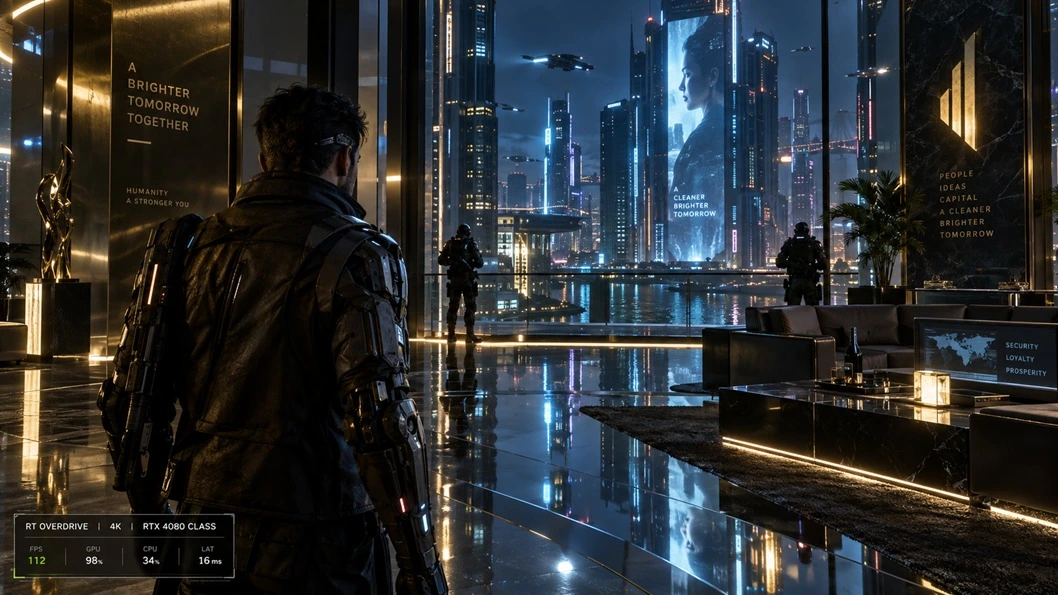
| RT Overdrive: 4K, 60 FPS | Intel Core i9-12900 or AMD Ryzen 9 7900X | NVIDIA GeForce RTX 4080; 16GB VRAM | 24GB RAM; 70GB NVMe storage |
The official Ultra tier does not include ray tracing. Ray Tracing Ultra and RT Overdrive are separate workloads, and Overdrive uses path tracing to calculate far more lighting information than normal rasterized rendering. A PC that handles 4K Ultra without ray tracing may still require aggressive upscaling, frame generation, lower settings, or a lower resolution when Overdrive is enabled.
Can Your PC Meet the Cyberpunk 2077 PC Requirements
Your PC can run Cyberpunk 2077 reliably when every important component meets the same target tier: the CPU, GPU, dedicated VRAM, system RAM, operating system, and storage. A single stronger component does not cancel a weaker one. An RTX-class graphics card cannot correct a processor that struggles with crowd simulation, and 32GB of RAM cannot replace insufficient GPU performance or VRAM.
Start by choosing what “run” means for you. For one player, 1080p Low at 30 FPS is acceptable. Another player may want 1440p High near 60 FPS, while a third wants ray-traced reflections or RT Overdrive. Select the closest official target first, then compare your hardware. This approach produces a more useful answer than a simple pass or fail result.
Method 1: Use the Auto Detector
The fastest method for checking the Cyberpunk 2077 PC requirements is to use the auto detector. It identifies the main hardware in your PC and helps compare it with the game’s requirements, which reduces mistakes caused by incomplete names such as “Core i7” or “NVIDIA GPU.” Review the detected CPU and GPU model before accepting the result because a laptop may use both integrated and dedicated graphics.
An automatic result should be treated as the starting point rather than a frame-rate promise. Detection confirms the installed hardware, while actual performance still depends on resolution, preset, driver condition, thermals, laptop power limits, background software, and whether the game is using the dedicated GPU. If the tool reports a borderline match, use the manual method below to identify the precise limitation.
Method 2: Check the Cyberpunk 2077 PC Requirements Manually
- Open Task Manager. Press Ctrl + Shift + Esc, select Performance, and record the exact CPU, GPU, total memory, and disk type. Do not stop at a family label such as Core i7 because model generation changes performance considerably.
- Confirm dedicated VRAM. Select the GPU page and check Dedicated GPU memory. Shared GPU memory is borrowed from system RAM and should not be added to dedicated VRAM when comparing the Cyberpunk 2077 PC requirements.
- Check Windows and storage. Press Windows + R, enter winver, and record the installed Windows version. In Task Manager, confirm that the destination drive is an SSD. Leave more than the listed 70GB free so the launcher, updates, temporary files, and saved data have working room.
- Choose your performance target. Decide on 1080p, 1440p, or 4K; select a frame-rate target; and decide whether ray tracing matters. Compare against the closest official tier rather than the minimum tier alone.
- Identify the weakest part. If the CPU, GPU, VRAM, RAM, or storage falls below the selected tier, plan settings around that limitation. When several parts fall short, a lower preset may help, but it cannot turn an old system into the recommended configuration.
You can also search the wider Check Can I Run It game requirements database when comparing Cyberpunk 2077 with other demanding games.
What the Cyberpunk 2077 System Requirements Mean
Processor and Crowd Simulation
The processor values in the Cyberpunk 2077 PC requirements matter most when Night City becomes busy. Pedestrians, traffic, physics, combat logic, streaming tasks, and background systems must be prepared before the GPU can draw the final frame. This is why a PC may show lower GPU utilization while driving quickly through a crowded district: the graphics card is waiting for CPU work rather than operating at its limit.
CPU model names must be read in full. A much older Core i7 can be slower than a newer Core i5, and a laptop chip may sustain lower clock speeds than a desktop processor because it operates within tighter power and cooling limits. Crowd Density is one of the most useful settings to reduce when the processor is the main constraint. Lowering resolution alone often produces little benefit in a CPU-limited scene.
Graphics Card and Resolution
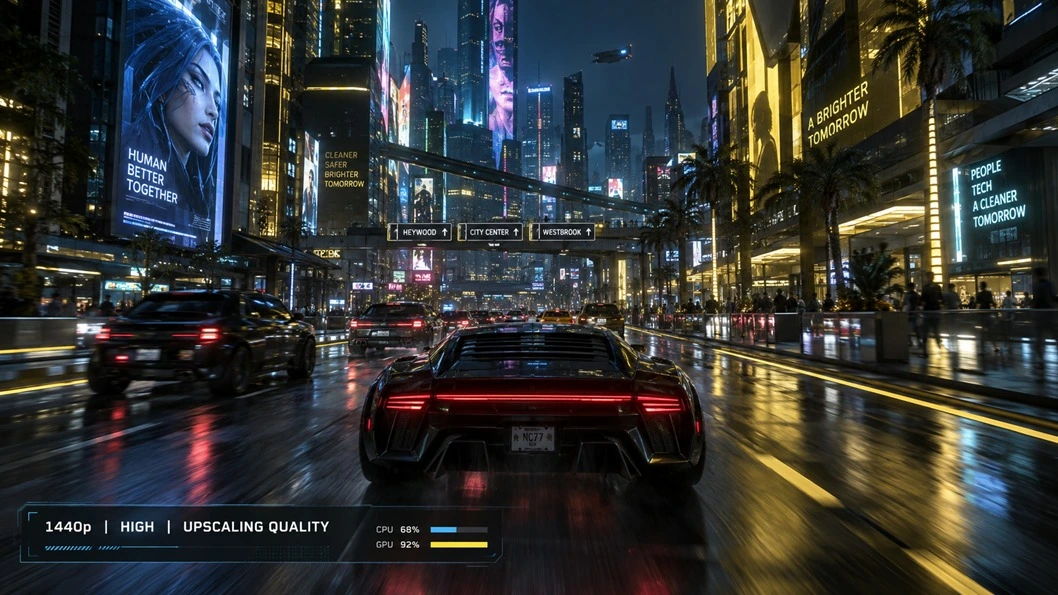
The graphics card has the largest influence on resolution, ray tracing, shadows, reflections, volumetric effects, and overall preset. Moving from 1080p to 1440p increases the number of pixels rendered per frame, while 4K contains four times as many pixels as 1080p. That increase explains why the Cyberpunk 2077 system requirements move from an RTX 2060 Super-class card at 1080p High to an RTX 3080 or RX 7900 XTX at the official 4K Ultra tier.
Do not compare graphics cards only by their VRAM capacity. An 8GB card can have enough memory for a setting but still lack the processing performance needed for the target frame rate. The reverse can also occur: a capable GPU may encounter texture or ray-tracing limits when its VRAM is full. Both processing power and memory capacity must suit the selected resolution and preset.
RAM and VRAM
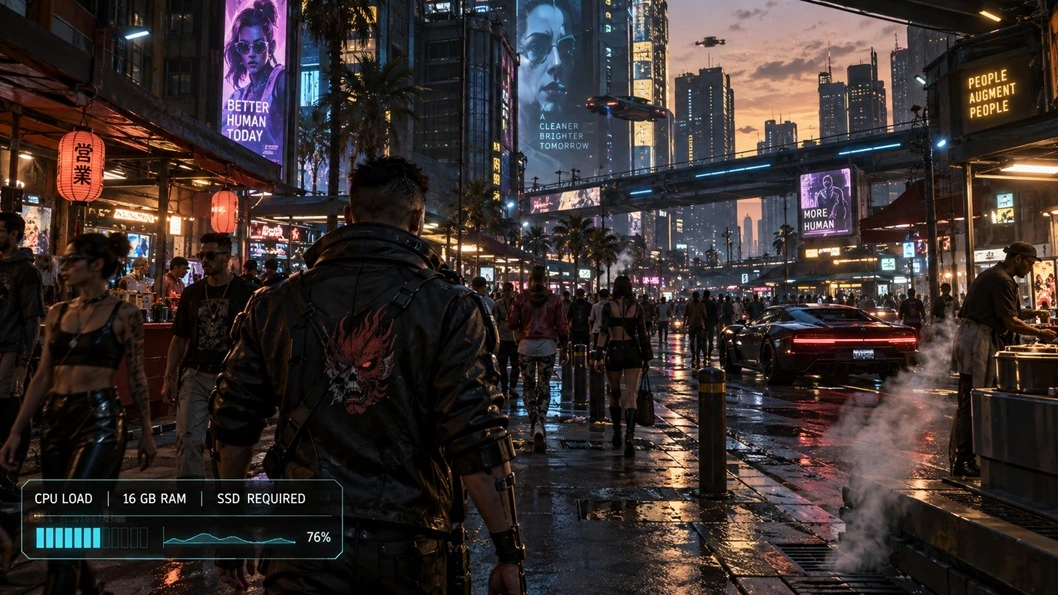
The Cyberpunk 2077 PC requirements set 12GB of system RAM as the current minimum, but 16GB is the practical baseline for the recommended experience. Windows, the game launcher, monitoring utilities, browser tabs, and overlays all consume memory before the game receives its share. Closing unnecessary applications can help a 16GB system maintain headroom, but memory cleanup cannot solve a GPU or CPU limitation.
VRAM stores textures, geometry, frame buffers, and data used by graphics effects. The official Cyberpunk 2077 PC requirements specify 6GB at minimum, 8GB for the recommended and RT Minimum tiers, 12GB for Ultra and RT Ultra, and 16GB for RT Overdrive. When VRAM is exceeded, symptoms may include severe frame-time spikes, delayed texture loading, or sudden performance drops. Lower textures and ray tracing before reducing settings that consume little memory.
SSD Space and Asset Streaming
An SSD is part of the current Cyberpunk 2077 system requirements. The game continuously streams streets, interiors, pedestrians, vehicles, textures, and objects as the player moves through Night City. A mechanical hard drive can become a source of slow loading and inconsistent asset delivery even when the CPU and GPU appear adequate. Higher official tiers call for an NVMe SSD, which offers faster data access than a typical SATA drive.
The published requirement lists 70GB of storage, but that number should not be treated as the exact space needed forever. Patches, language files, platform packaging, shader data, saved games, and temporary update files can change the amount required. Keeping at least 90–100GB free before installation is a sensible preparation step, even though the official baseline remains 70GB.
Cyberpunk 2077 Performance by Resolution
1080p
At 1080p, the Cyberpunk 2077 system requirements define Low settings at 30 FPS for Minimum and High settings at 60 FPS for Recommended. The recommended tier is the better reference for responsive aiming, driving, and combat. If performance falls below the desired level, disable ray tracing first, check GPU utilization, and use a Quality upscaling mode only when it improves performance without making fine detail unacceptably soft.
1440p
CD Projekt Red does not publish a dedicated non-ray-traced 1440p tier in the revised chart. A responsible 1440p recommendation must therefore remain an editorial starting point rather than an official promise. Begin with hardware comfortably above the 1080p recommended GPU, use 8GB of VRAM as a floor for High textures, and retain settings headroom for dense districts. Quality upscaling can be useful because it lowers the internal rendering workload while producing a 1440p output.
4K
The official 4K Ultra tier names an RTX 3080 or RX 7900 XTX and 12GB of VRAM, paired with a Core i9-12900 or Ryzen 9 7900X, 20GB of system RAM, and NVMe storage. These two listed GPUs do not deliver identical behavior in every workload, so the row should be read as CD Projekt Red’s tested examples rather than a statement that the cards are universally equivalent. Native 4K, upscaled 4K, ray tracing, and frame-generated output must also be reported separately.
Ray Tracing and RT Overdrive
Ray tracing calculates selected lighting effects using simulated light paths. RT Overdrive goes further by using path tracing across the scene, producing more coherent lighting, reflections, and shadows at a much higher processing cost. This difference explains why the Cyberpunk 2077 system requirements list an RTX 4080 with 16GB of VRAM for the 4K RT Overdrive 60 FPS target.
RT Overdrive should be treated as a high-end visual mode, not a required part of the game. Rasterized High or Ultra settings preserve the world, missions, characters, and core visual design on far more systems. If ray tracing creates unstable performance, switch it off before lowering textures and geometry across the entire image. That usually produces a clearer and more consistent result on midrange hardware.
DLSS, FSR, XeSS, and Frame Generation
Upscaling renders the game internally at a lower resolution and reconstructs the image to the selected output resolution. Quality mode uses a higher internal resolution than Balanced or Performance mode, so it generally preserves more detail while delivering a smaller performance gain. The best mode depends on the output resolution: Performance mode can look too soft at 1080p, while it may be more usable at 4K.
Frame generation creates intermediate frames to raise the displayed frame rate. It can make motion appear smoother, but it does not replace a healthy base frame rate, remove a CPU bottleneck, or make input processing occur at the generated rate. CD Projekt Red added AMD FSR 3.1 Frame Generation and Intel XeSS 2.0 support in Update 2.3. NVIDIA DLSS Ray Reconstruction is available with path tracing on supported GeForce RTX hardware. Availability and quality depend on the installed GPU, driver, game version, and chosen rendering mode.
Prepare Your PC for the Cyberpunk 2077 PC Requirements
- Install the game on an SSD and maintain enough free space for updates and temporary installation data.
- Install a current stable graphics driver from NVIDIA, AMD, or Intel. If a recent driver creates a problem, use the last stable version rather than assuming the newest release is always better.
- Connect a gaming laptop to power, select its performance profile, and confirm that Windows assigns the dedicated GPU to the game.
- Close unnecessary browser tabs, recording tools, launchers, RGB utilities, and overlays when memory or CPU capacity is limited.
- Run the built-in benchmark before changing settings. Record resolution, preset, ray tracing, upscaling, frame generation, average FPS, minimum FPS, and temperatures.
- Change one major setting group at a time and repeat the same benchmark. A repeatable method makes it possible to identify which change helped.
The benchmark is useful for controlled comparisons, but it cannot reproduce every demanding street, combat encounter, or Phantom Liberty location. After the benchmark, test a busy outdoor route and a combat sequence. Smooth frame delivery during actual play matters more than an impressive average from a short test.
Practical Settings Within the Cyberpunk 2077 System Requirements
| Limitation | What You May Notice | Settings to Check First |
|---|---|---|
| GPU Processing | High GPU usage and higher FPS when the resolution is lowered | Ray tracing, Screen Space Reflections, volumetrics, shadows, resolution, and upscaling |
| VRAM | Stuttering, delayed textures, or sharp performance drops after entering dense areas | Texture quality, ray tracing, resolution, and GPU-intensive background applications |
| CPU | Lower GPU usage in crowds with little improvement after lowering the resolution | Crowd Density, background tasks, frame-rate cap, and CPU temperature |
| System RAM | Heavy paging, hitching, or background applications closing unexpectedly | Close background applications and confirm sufficient capacity and dual-channel configuration |
| Storage | Slow loading or inconsistent asset streaming while travelling through Night City | Move the game to an SSD, maintain adequate free space, and verify drive health |
A frame-rate cap can improve consistency when a system fluctuates repeatedly between a higher and lower value. For example, a stable cap near the system’s sustainable performance can feel smoother than constant swings. Use the in-game limiter or a trusted driver-level tool, then check frame pacing rather than looking only at average FPS.
Phantom Liberty Requirements
Phantom Liberty uses the revised Cyberpunk 2077 system requirements. Its Dogtown environment can expose a borderline CPU, GPU, or storage configuration because it combines dense geometry, crowds, combat, lighting, and rapid traversal. Players who previously used the old launch requirements should compare their PC with the Update 2.0-era table before purchasing or reinstalling the expansion.
The base game and expansion share the same current technical foundation, so owning only the base game does not make the obsolete 2020 requirements the correct reference. Patch 2.31 remains the latest official PC patch listed by CD Projekt Red at the time of this draft, while Update 2.3 introduced the more substantial PC rendering additions discussed above.
Cyberpunk 2077 System Requirements and Common Problems
Low FPS Even Though the PC Meets the Requirements
Confirm that your target matches the tier you meet. A system that meets Minimum is not expected to deliver the Recommended target. Check resolution scale, ray tracing, upscaling mode, background recording, GPU selection, power profile, temperatures, and driver condition. If GPU usage is high, reduce GPU-heavy settings. If GPU use is unexpectedly low in crowded areas, investigate the CPU, memory, and background workload.
Stuttering While Driving
Driving increases asset streaming and can place more work on the CPU and storage subsystem. Confirm that the game is on an SSD, keep free drive space available, close background disk activity, and reduce Crowd Density when the processor is overloaded. If stutter appears after raising textures or ray tracing, monitor VRAM use and reduce the setting that exceeds capacity.
The Game Uses Integrated Graphics
Windows laptops and some desktops can launch the game on an integrated GPU even when a dedicated card is installed. Open Windows Graphics settings, add the game executable, and choose the high-performance GPU. Also verify the setting in the NVIDIA or AMD control application. Restart the game and confirm the active adapter in Task Manager.
Crashes or Corrupted Visuals
Return overclocked or undervolted hardware to stable settings, verify game files through the launcher, update or clean-install the graphics driver when appropriate, and disable third-party overlays or mods during diagnosis. Apply one change at a time so the cause remains identifiable. CD Projekt Red’s support guidance also recommends checking the official requirements and Windows version before deeper troubleshooting.
Upgrading to Meet the Cyberpunk 2077 PC Requirements
To meet higher Cyberpunk 2077 PC requirements, upgrade the graphics card first, as lowering resolution or disabling ray tracing produces a large improvement and GPU utilization remains near its limit. Choose a card with both sufficient rendering performance and enough VRAM for your intended resolution. Buying more VRAM on a slow GPU does not automatically produce a higher frame rate.
Upgrade the processor or platform when busy districts and driving scenes remain slow, GPU utilization falls below its normal range, and lowering resolution yields little improvement. A platform upgrade may also require a new motherboard and memory, so compare the complete cost rather than the processor alone. Move the game to an SSD before replacing more expensive components if it still runs from a mechanical drive.
Increase system memory when the PC has less than 12GB, when a 16GB system is consistently exhausted by background work, or when it operates in a poor single-channel configuration. For a new build intended for high settings, ray tracing, mods, streaming, or heavy multitasking, 32GB provides comfortable headroom even though the official recommended tier lists 16GB.
Frequently Asked Questions
Can Cyberpunk 2077 run on 8GB of RAM?
The current minimum is 12GB, so an 8GB PC does not meet the revised Cyberpunk 2077 PC requirements.
The game may launch on some 8GB systems, but Windows and background software leave too little memory for dependable performance.
Is 16GB of RAM enough?
Yes. Sixteen gigabytes meets the official recommended tier for 1080p High at an expected 60 FPS.
Close memory-heavy background programs if the system approaches its limit.
Does Cyberpunk 2077 require an SSD?
Yes. An SSD is part of the current minimum specification.
Higher Ultra, RT Ultra, and RT Overdrive tiers call for NVMe storage.
How much storage does Cyberpunk 2077 need?
The official Windows requirement lists 70GB.
Keep additional free space for patches, temporary update files, language content, saves, and launcher overhead.
Can a GTX 1060 run Cyberpunk 2077?
The 6GB GTX 1060 is one of the official minimum GPUs for 1080p Low at an expected 30 FPS.
The 3GB model does not meet the listed 6GB VRAM minimum.
Can a GTX 1650 run the game?
A GTX 1650 is not one of the listed minimum GPUs and normally carries only 4GB of VRAM.
It may launch with reduced settings, but it does not meet the current official minimum and should not be described as guaranteed.
Is 6GB of VRAM enough?
Six gigabytes meets the minimum tier.
The recommended 1080p High tier specifies 8GB, while higher-resolution and ray-traced tiers list 12GB or 16GB.
Can Cyberpunk 2077 run without ray tracing?
Yes. The game has full non-ray-traced Minimum, Recommended, and Ultra tiers.
Ray tracing is optional and can be disabled for higher performance.
What is needed for RT Overdrive?
The official 4K RT Overdrive target lists an RTX 4080 with 16GB of VRAM.
It also lists a Core i9-12900 or Ryzen 9 7900X, 24GB of system RAM, and 70GB of NVMe storage.
Does Windows 11 support Cyberpunk 2077?
Yes. Cyberpunk 2077 runs on compatible Windows 11 PCs.
CD Projekt Red has also announced a transition away from Windows 10 testing following Microsoft’s end of support, making Windows 11 the safer platform for continued support.
Can a gaming laptop run Cyberpunk 2077?
Yes, if its exact CPU, laptop GPU, VRAM, system RAM, and storage meet the intended performance tier.
Laptop GPU power limits and cooling can cause two computers with similar component names to perform differently.
Why does the game stutter on a capable PC?
Common causes include VRAM pressure, CPU limits in crowded areas, background tasks, thermal throttling, storage activity, and unstable graphics drivers.
Stuttering may also occur when the selected resolution, ray-tracing mode, or graphics settings exceed the intended hardware tier.