
PlayMyWorld Gaming Review | Features, Account & Games
PlayMyWorld Gaming is an online gaming and entertainment website that provides information about video games, gaming consoles, accessories, and gameplay strategies. Visitors can find gaming guides, discover useful tips, and read about popular titles such as Fallout 4 and Fortnite. The website also describes features such as multiplayer gaming, player accounts, and virtual-world creation, although these services are not clearly accessible through its main website. Users can browse its published content on a PC or mobile device without creating an account.
What Is PlayMyWorld Gaming?
PlayMyWorld Gaming is associated with PlayMyWorld.com, a website that publishes gaming news, tutorials, equipment information, and other entertainment content. It covers topics that help readers understand different games, learn gameplay mechanics, and find information about gaming devices.
The website also contains articles describing a gaming platform where players can create virtual worlds, participate in multiplayer matches, and interact with other users. However, these descriptions should be distinguished from the website’s publicly accessible features. Its main navigation currently leads to gaming articles rather than a clearly identified game launcher or playable game library.
PlayMyWorld is therefore most useful to understand as a gaming information website. Visitors looking for instructions, game-related articles, or equipment advice can browse its content directly, while those looking for an actual game should verify whether the advertised service is available.
What Does PlayMyWorld Gaming Offer?
PlayMyWorld covers several areas of gaming, from individual game guides to console accessories. The main website includes sections such as Gaming Equipment, Fallout 4, and Console, making it possible to find articles according to a particular interest.
Gaming Guides and Tutorials
The website publishes articles about game mechanics, character abilities, equipment, and strategies. Its Fallout 4 section, for example, includes information about quests, companions, and other parts of Bethesda Game Studios’ role-playing game.
Suppose you are playing Fallout 4 and want to understand how companion relationships work. You can search for articles about Cait, her personal quest, and related gameplay decisions. This gives you a more focused starting point than searching through unrelated gaming content.
Guides are most useful when they match the version of the game you are playing. Before following technical instructions, check whether the article reflects recent updates, additional content, or changes introduced by the developer.
Console Gaming Information
PlayMyWorld also provides content about gaming consoles, including PlayStation systems and their accessories. These articles discuss features, gaming equipment, and subjects related to console ownership.
For example, someone planning to buy a PlayStation 5 may want to understand game compatibility, storage options, or supported accessories. Articles explaining these subjects can help readers identify what they need to research before making a purchase.
However, console specifications and accessory compatibility should be confirmed through the manufacturer’s official documentation. This matters because two accessories with similar names may support different console generations.
Gaming Equipment and Accessories
The Gaming Equipment section contains information about devices such as gaming keyboards, mice, headsets, and monitors. These products influence how players interact with games, although the right equipment depends on the user’s device and gaming preferences.
A person who mainly plays competitive games may prefer a responsive mouse and a monitor with a higher refresh rate. Someone who enjoys story-based games may place more importance on display quality, comfortable headphones, and accurate sound.
Product specifications should be compared before purchasing. Connection type, operating-system support, display resolution, and hardware compatibility are more useful than choosing equipment based only on appearance or promotional claims.
How to Use the PlayMyWorld Website
Using PlayMyWorld.com for gaming information does not require technical knowledge. Its public articles can be opened through a compatible web browser, and its navigation provides direct access to several content categories.
Open the Website and Choose a Category
Visit PlayMyWorld.com and open the homepage. The main navigation contains sections including Gaming Equipment, Fallout 4, and Console, along with information about the website.
Select the category that matches your interest. For example, if you need Fallout 4 gameplay information, opening that section is more useful than browsing general entertainment articles.
Each article has its own page, so you can save the address in your browser bookmarks if you want to return to it later.
Search for a Specific Game or Topic
The website also provides a search field. Instead of using a general word such as “gaming,” enter the name of the game or a specific feature you want to understand.
For example, searching for “Fallout 4 Cait” is more precise than searching for “Fallout 4.” Similarly, someone looking for console information can search using a model name such as “PS5.”
A specific search term makes it easier to identify useful results. If the website does not have the information you need, the game’s official support pages or developer documentation may provide a better answer.
Check the Publication Date and Source
Gaming information changes whenever developers release updates, modify gameplay systems, or introduce new hardware. An article that accurately described a feature two years ago may not reflect the current version.
For example, instructions for an older PC game edition may not work in a newer edition. When reading guides, pay attention to the publication date, game version, and any references to official developer announcements.
This is also important for gaming hardware articles because manufacturers release revised products with different specifications.
How to Create an Account on PlayMyWorld Gaming
Some PlayMyWorld articles describe an account system where users register through email or social login, manage profiles, and access multiplayer activities. One article published in May 2026 also mentions downloadable clients, account security options, and player settings.
However, a public Sign Up or Login page was not visible through the main website navigation during the October 22, 2026 review. This means the published registration descriptions cannot currently be used as confirmed instructions for creating an active gaming account.
How to Check for PlayMyWorld Registration
Start by visiting the official PlayMyWorld homepage and checking its navigation for an account registration option. You can also inspect the footer for links labeled Sign Up, Register, Login, or Account.
If no registration page is available, use the website’s contact page to ask whether player accounts are supported and where the official registration form is located.
Do not enter your email address, password, or payment details on a different website simply because it uses the PlayMyWorld name. A legitimate registration service should clearly identify its operator and explain what users receive after creating an account.
Do You Need an Account to Use PlayMyWorld?
You do not need a gaming account to read PlayMyWorld’s publicly available articles. You can open its homepage, navigate categories, and read gaming information directly in your browser.
Creating an account would only be necessary for services that require a personal profile, such as saved progress, multiplayer participation, or account-based features. Those functions should be confirmed through an accessible service before attempting to register.
Can You Play Games Directly on PlayMyWorld?
PlayMyWorld-related articles describe several types of gaming experiences, including competitive matches, cooperative activities, casual games, and virtual-world exploration. Some also mention tournaments, private rooms, player rankings, and creator-made content.
However, the website does not clearly provide a public game catalog where visitors can select a title and start playing. Its accessible pages mainly contain articles rather than functioning game interfaces.
There is an important difference between a website that discusses online gaming and one that hosts playable games. A playable service should provide a game page, supported-device information, and clear instructions explaining how to launch or join a session.
Multiplayer Gaming
Multiplayer gaming allows several people to participate in the same game through an internet connection. Players may compete against each other, complete missions together, or explore a shared environment.
Some PlayMyWorld articles describe features such as matchmaking, private lobbies, voice communication, and community events. These functions would allow players to communicate and participate in group activities if an accessible gaming service supports them.
Their availability on PlayMyWorld has not been independently established through a working multiplayer interface. Visitors should confirm the actual service before treating these features as available.
Virtual Worlds and Creative Tools
A virtual world is a digital environment that players can explore and sometimes modify. Depending on the game, users may build structures, change landscapes, create activities, or invite friends into their environments.
PlayMyWorld articles describe similar world-building and game-creation features. However, a functioning public creation editor and its technical documentation were not clearly available through the main website.
For users interested in building their own environments, Minecraft and Roblox provide established alternatives. Minecraft supports construction and exploration, while Roblox Studio includes tools for creating interactive experiences.
Competitive Events and Player Rewards
Some published PlayMyWorld descriptions also mention ranked matches, tournaments, player rewards, and creator earnings. These systems are commonly used to organize competition and encourage participation in online games.
A tournament normally needs published rules, eligibility requirements, registration instructions, and a schedule. A reward system should explain how points or currency are earned, what they can be used for, and whether purchases are involved.
Before joining an event or paying an entry fee, confirm that its organizer and registration service are genuine. Claims about prizes or earnings should not be treated as confirmed without official terms.
Can You Use PlayMyWorld Gaming on Mobile and PC?
PlayMyWorld.com can be viewed through a compatible web browser on desktop computers, laptops, tablets, and smartphones. You can read its articles without installing a dedicated gaming application.
Some articles describe support for Windows, macOS, Android, iOS, and consoles. However, these claims concern the advertised gaming platform rather than ordinary website access, and a verified list of supported gaming clients was not clearly available.
Being able to open a website on a phone does not mean you can play every game discussed there. Actual game compatibility depends on the software, operating system, hardware, and supported platforms.
Is There an Official PlayMyWorld Gaming App?
I could not independently confirm an official downloadable gaming client linked through the main PlayMyWorld website during the review. This applies to the advertised gaming service, not to the website’s ordinary browser content.
If you find a mobile application using the PlayMyWorld name, check its developer, app permissions, publication details, and connection to the official website before installing it.
For PC software, use the publisher’s official website or an established distribution service. Avoid unknown installers that promise access to features you cannot confirm through the platform’s own documentation.
PlayMyWorld Gaming System Requirements
There are no clearly verified minimum or recommended PC specifications for a standalone PlayMyWorld gaming application. The website itself can be accessed using a normal browser, but this does not establish the hardware required for the games described in its articles.
For PC gaming, system requirements should always be checked against the exact game you intend to install. Different games can require very different levels of processor performance, graphics capability, memory, and storage.
Which PC Components Matter for Gaming?
The CPU, or central processing unit, handles game logic, calculations, and many simulation tasks. Its performance can affect frame rates and responsiveness in games with complex environments or many active characters.
The GPU, or graphics processing unit, renders the images displayed on your screen. A more demanding game may require a dedicated graphics card with sufficient VRAM, which is memory used for graphics data.
System RAM holds information needed by the game and other running applications. Storage capacity determines whether the game can be installed, while some modern titles specifically require an SSD for faster data access.
The operating system, graphics API, and driver support also matter. A computer may have enough RAM and storage yet still fail to meet a game’s minimum requirements because its graphics hardware is unsupported.
How to Check Your PC Specifications
On Windows 11, open Settings, select System, and then About. You can find your processor name, installed RAM, and system information on this page.
To identify your graphics processor, press Ctrl + Shift + Esc to open Task Manager. Select the Performance tab and open the GPU section to see your graphics hardware.
You should also check available storage and whether your computer uses an SSD or HDD. Record the exact processor and GPU models because broad descriptions such as “Intel Core i5” or “NVIDIA graphics” do not provide enough information for an accurate compatibility comparison.
How to Check Whether Your PC Can Run a Game
You can use the Check Can I Run It website to look up the hardware requirements of supported PC games. Its game reports provide minimum and recommended specifications, including processor, graphics card, RAM, storage, and other requirements.
Enter the name of the game into the search field and select the correct title. Open its requirements report and compare the listed hardware with the specifications you found on your computer.
Pay attention to the game edition as well as its name. A remake, enhanced release, or newer edition may require stronger hardware than an older version of the same game.
Popular Games to Consider Alongside PlayMyWorld Gaming
Players interested in virtual worlds, multiplayer activities, and open-world exploration can find these experiences in several established games. Minecraft, Fortnite, GTA 5, and Cyberpunk 2077 provide different gameplay styles and have clearly published PC requirements.
These titles are independent games, not confirmed PlayMyWorld-hosted games. Understanding what each one offers can help you choose a suitable gaming experience before checking whether your computer can run it.
Minecraft
Minecraft is a sandbox game developed by Mojang Studios where players collect resources, build structures, explore environments, and survive against hostile creatures. Its Creative mode allows construction without the usual resource limitations, while Survival mode introduces health, hunger, crafting, and combat.
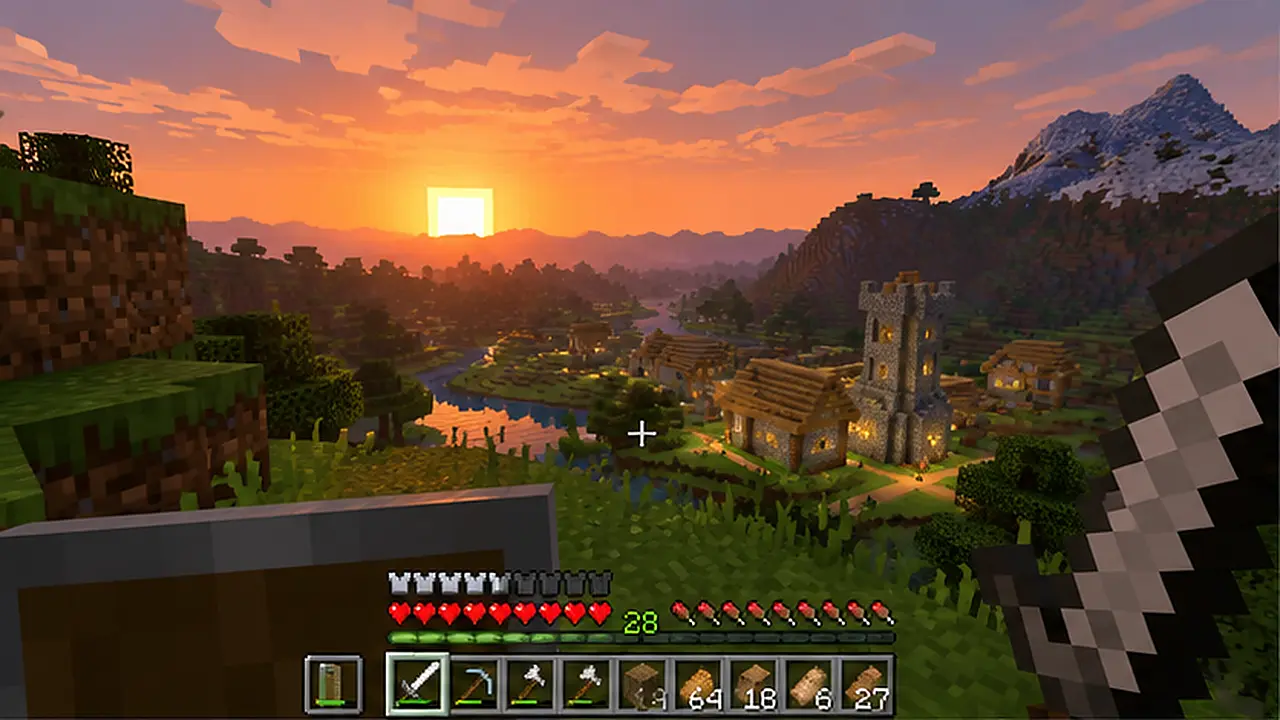
Players can create houses, farms, villages, and larger environments. Multiplayer servers also allow people to work on shared projects or participate in activities designed by server owners.
Minecraft is available on PC in Java and Bedrock editions, which have different system requirements and multiplayer compatibility. Java supports a broad range of community modifications, while Bedrock supports cross-platform play with compatible console and mobile versions.
Before installing it, read the Minecraft PC requirements for Java and Bedrock to understand which edition is more suitable for your computer. Mods, shaders, and higher render distances can increase hardware demands beyond standard gameplay.
Fortnite
Fortnite is an online game developed by Epic Games that includes competitive multiplayer modes and creator-made experiences. Battle Royale focuses on survival against other players, while creative experiences can offer different objectives, environments, and gameplay rules.
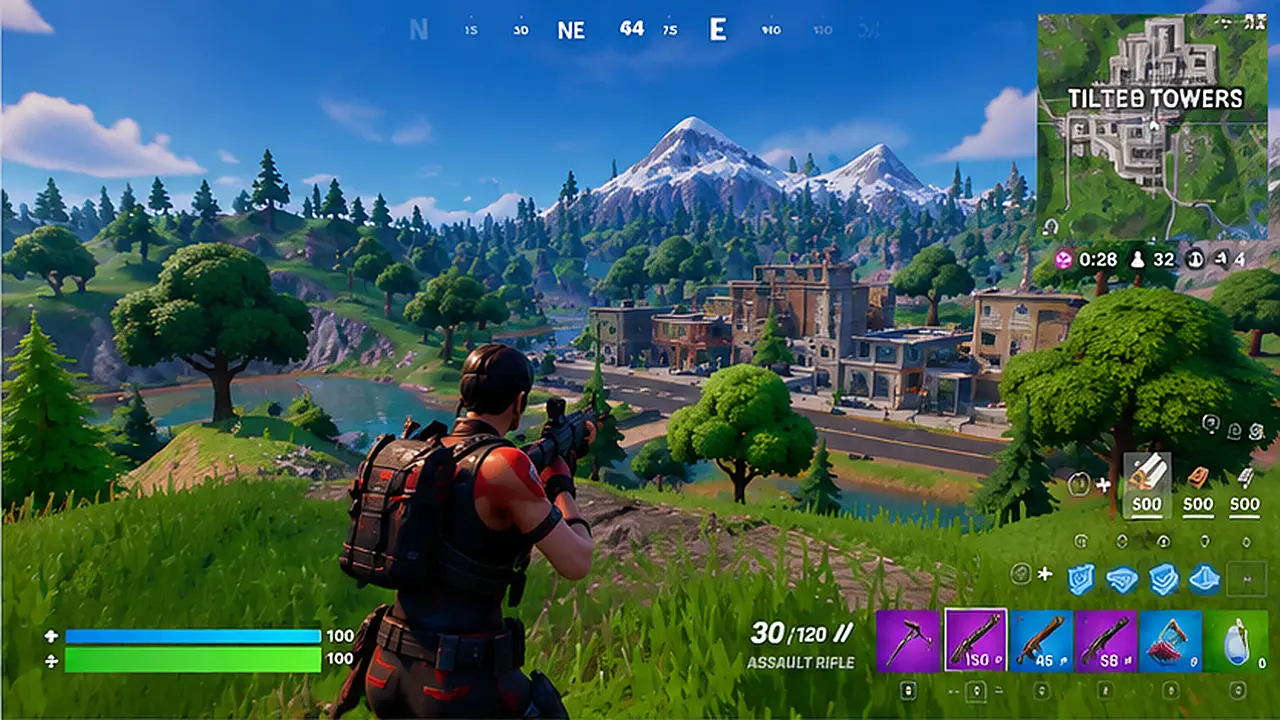
Fortnite also supports content developed through Unreal Editor for Fortnite, known as UEFN. This allows creators to build more detailed interactive environments using Epic’s development tools.
Its performance depends on the graphics mode, resolution, and hardware used. A PC running Fortnite at low settings may not provide the same performance when using demanding graphical effects.
You can check the Fortnite PC requirements for minimum, recommended, and Epic-quality specifications. Players who want higher frame rates should consider their CPU, GPU, RAM, and monitor refresh rate together.
GTA 5
Grand Theft Auto V, developed by Rockstar North, allows players to explore Los Santos and the surrounding region. Its single-player campaign includes story missions and character-based activities, while GTA Online provides multiplayer missions, races, and other online experiences.

The game is relevant to players who enjoy exploring large environments with vehicles, characters, and varied activities. However, it follows a different design from sandbox creation games such as Minecraft.
On PC, GTA 5 has Enhanced and Legacy editions with different hardware requirements. Enhanced includes newer visual features and requires SSD storage, while Legacy supports older hardware.
Our GTA 5 system requirements guide compares the two editions. Choosing the correct version also matters for multiplayer because Enhanced and Legacy do not share the same GTA Online sessions.
Cyberpunk 2077
Cyberpunk 2077 is an open-world role-playing game developed by CD Projekt Red. It takes place in Night City, where players complete missions, develop character abilities, interact with supporting characters, and explore a futuristic urban environment.
Unlike Fortnite, Cyberpunk 2077 is primarily a single-player experience. Its complex environments, lighting, textures, and effects make it more demanding than many basic online games.
The game has separate hardware targets for different graphics settings and resolutions. Ray tracing and path tracing place additional demands on supported graphics cards.
Before downloading it, check the Cyberpunk 2077 PC requirements. These requirements help determine whether your system is suitable for standard gameplay or more demanding graphics settings.
Is PlayMyWorld Gaming Free?
The public articles on PlayMyWorld.com can be read without purchasing a subscription. Visitors can open gaming guides, equipment articles, and other available content directly through a browser.
However, there is no clearly verified pricing structure for the separate gaming service described in some PlayMyWorld articles. Claims about free multiplayer access, premium features, creator rewards, and in-game purchases should be checked against an official service before making a payment.
If a PlayMyWorld-related website requests card details or payment for an account, confirm the operator and read the applicable terms. Public access to informational articles does not establish the legitimacy of a separate paid service using the same name.
Is PlayMyWorld Gaming Safe and Legitimate?
PlayMyWorld.com is an accessible website with gaming articles, contact information, and published privacy and terms pages. These pages explain aspects of the website, but they do not independently verify every claim about downloadable games, player accounts, or gaming services.
Visitors should distinguish ordinary website browsing from installing applications or providing personal details. Reading public articles requires fewer commitments than creating accounts, making purchases, or downloading unfamiliar software.
The website also publishes some content related to online casinos and betting. Parents should consider this when deciding whether the site is suitable for younger readers who are searching for ordinary video game information.
A sensible approach is to use the official website address, check the purpose of external links, and avoid providing sensitive information to unverified services. If a feature cannot be found, contacting the website is safer than installing an unofficial application that promises access to it.
What to Do if PlayMyWorld.com Is Not Working
If the website does not open, first check whether other websites load normally. This helps determine whether your internet connection is working or the issue may be limited to PlayMyWorld.
If the homepage opens but an article fails to load, refresh the page or try another browser. You can also search for the article title in case its address has changed.
Browser extensions, cached files, or temporary server problems can sometimes affect page loading. However, a missing registration page or game launcher should not automatically be treated as a browser error, since those features may simply be unavailable.
For questions about unavailable features, use the official contact page rather than downloading third-party repair tools.
Frequently Asked Questions
Is PlayMyWorld Gaming a Website or a Game?
PlayMyWorld.com is primarily a gaming and entertainment website that publishes articles, guides, and equipment information. Some of its content describes multiplayer gaming and virtual-world features, but a separate playable game service was not clearly verified through its main navigation.
How Can I Create a PlayMyWorld Gaming Account?
Some PlayMyWorld articles describe registration through email or social login, but a public Sign Up page was not visible during the October 22, 2026 review. Check the official website for registration information or contact its operators before using a third-party sign-up link.
Can I Use PlayMyWorld Without an Account?
Yes. You can browse PlayMyWorld.com’s publicly available gaming articles without creating an account. Reading guides and searching for information does not require a player profile.
Can I Download PlayMyWorld Gaming for Windows or Android?
The website is accessible through compatible desktop and mobile browsers. However, a verified gaming installer or official mobile application linked through the main website was not clearly established. Check the publisher’s identity before trusting any application using the PlayMyWorld name.
Does PlayMyWorld Support Multiplayer Games?
Several PlayMyWorld articles describe multiplayer sessions, private rooms, and community activities. However, an accessible multiplayer game interface and its supported features were not independently verified. Visitors should confirm which playable service is being offered before attempting to join a session.
Can I Play Minecraft or Fortnite on PlayMyWorld?
Minecraft and Fortnite are separate games published by their respective companies. There is no confirmed public evidence that PlayMyWorld.com hosts either game directly. You should use the official game distribution channels to install them.
What Are the PC Requirements for PlayMyWorld Gaming?
Official minimum and recommended specifications for a standalone PlayMyWorld gaming client were not clearly available. Reading the website requires a compatible browser, while installing a PC game requires checking that game’s published CPU, GPU, RAM, storage, and operating-system requirements.
Does PlayMyWorld Have In-Game Currency or Rewards?
Some published descriptions mention in-game currency, player rewards, and creator earnings. However, an accessible currency system, current pricing, and official transaction rules were not independently confirmed. Avoid purchasing any claimed currency until the service and its terms have been verified.
Is PlayMyWorld Gaming Suitable for Beginners?
Its published gaming articles can be useful for beginners who want information about games, consoles, and accessories. Visitors looking for a playable platform should first confirm whether the advertised account and gaming features are accessible.